

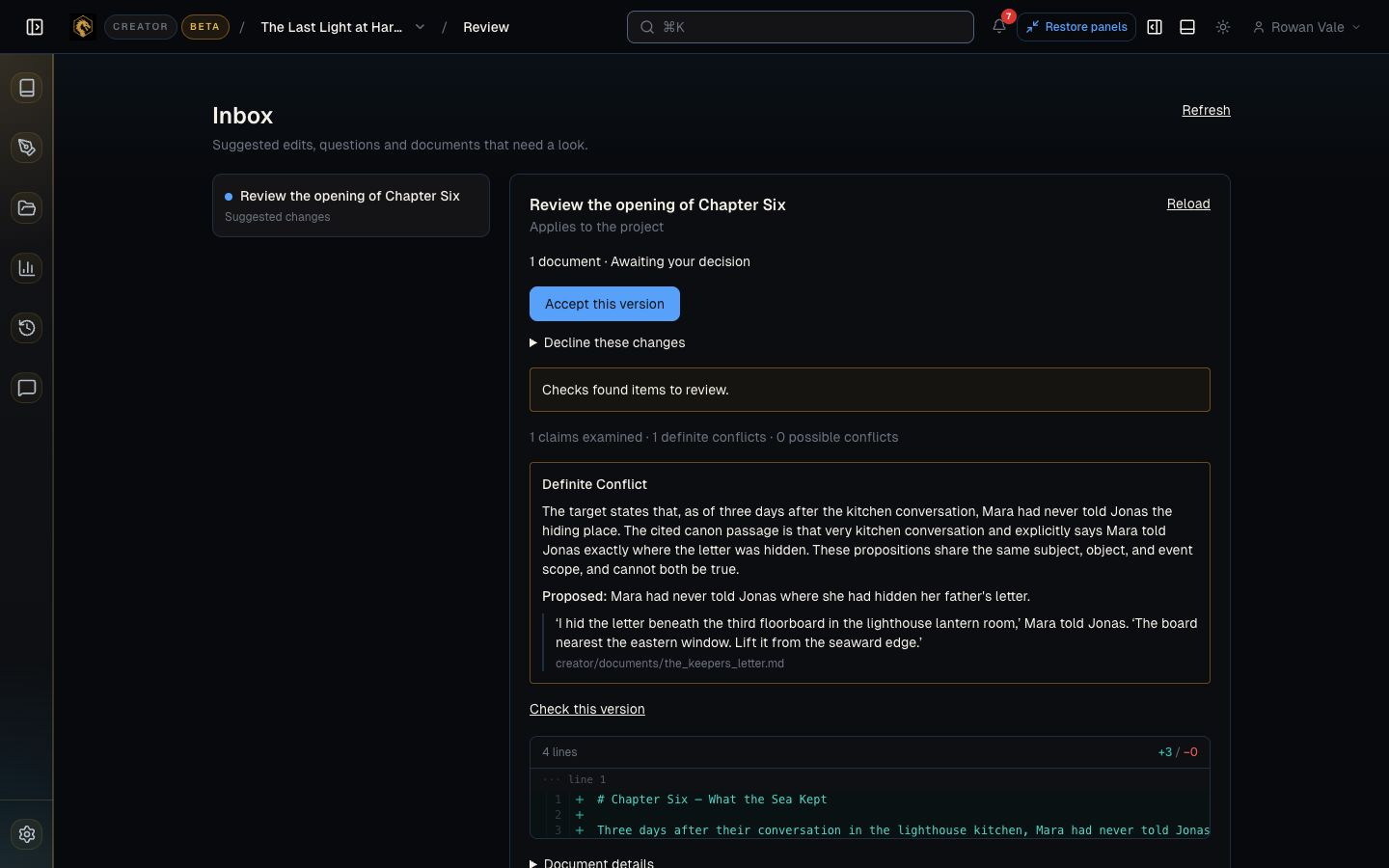
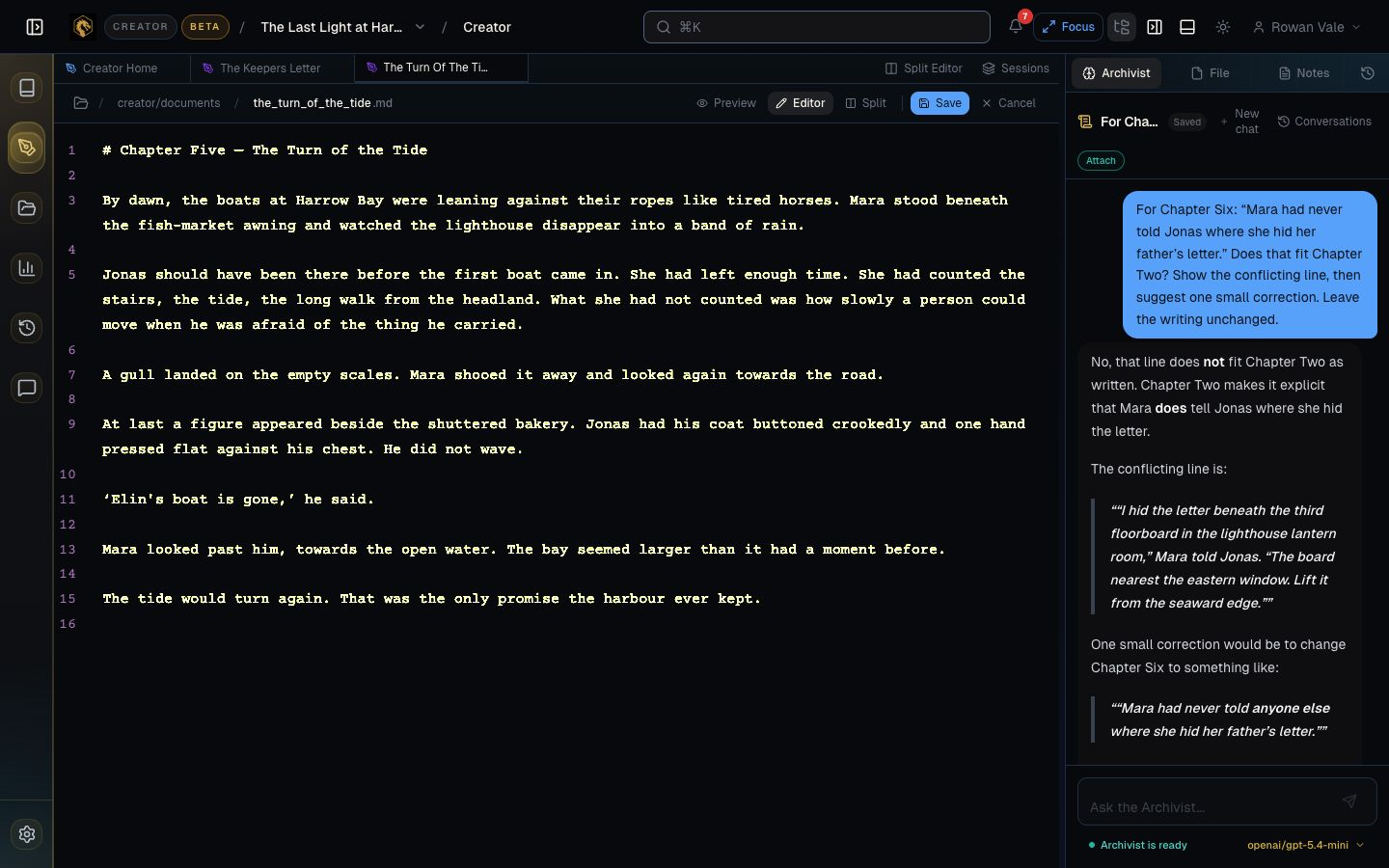
Recover the detail, with the passage.
Ask about a character, a place, or something you established earlier. See where the answer came from without rereading half the manuscript.
For writers & worldbuilders
Keep your manuscript and world notes close. Find the detail you’ve forgotten, check a new passage, and give more of your attention to the story ahead.
Live beta · By invitation · For individual writers
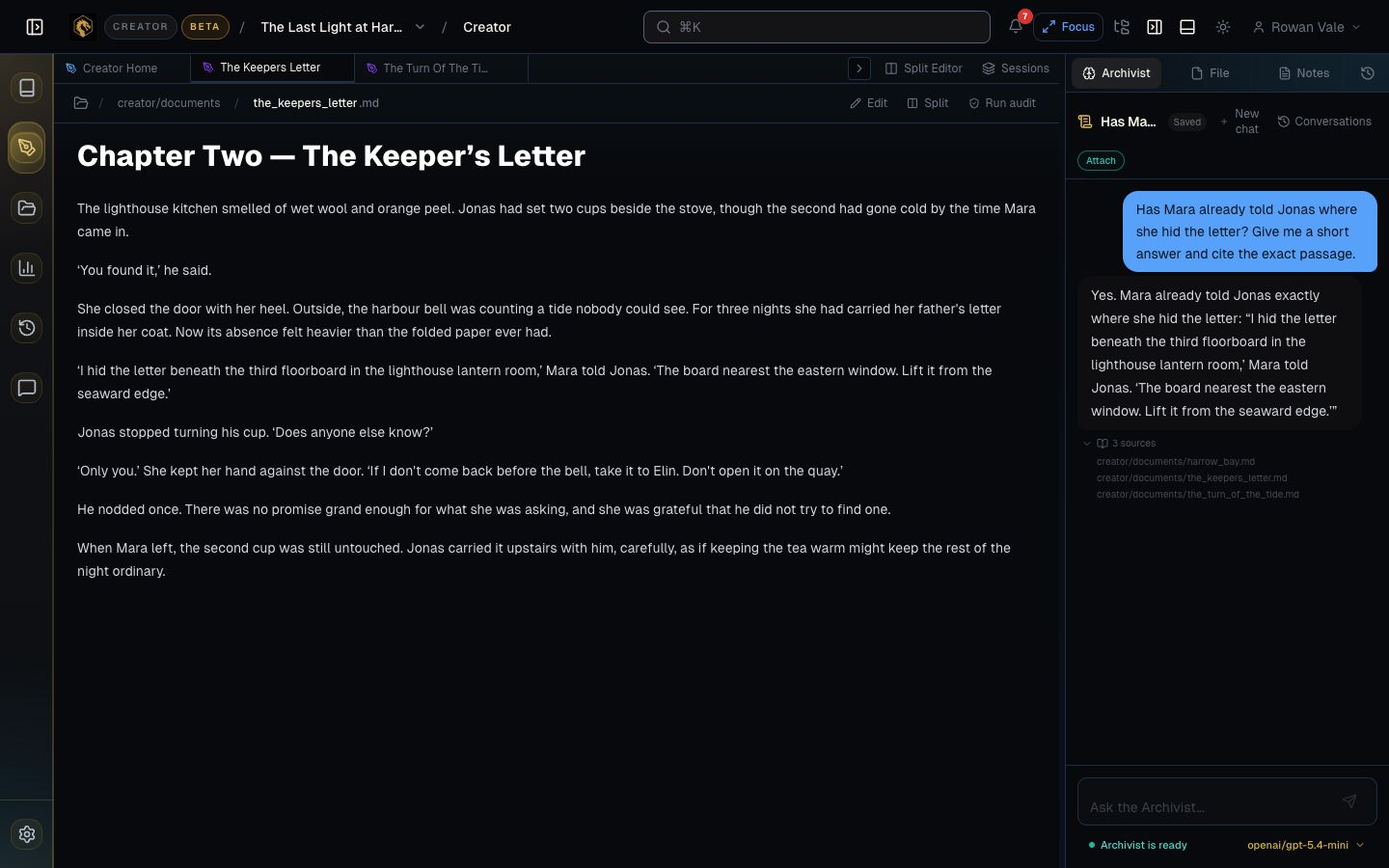
“Did she already tell him?” There it is.
Mara told Jonas in chapter two. Creator finds the passage and puts it beside your manuscript, so you can get on with the scene you’re writing.
You decide where the story goes.
DragonKeep helps with the looking back.
Stay with the story
Ask about a character, a place, or something you established earlier. See where the answer came from without rereading half the manuscript.
Check a passage against what you’ve written. Look at the possible conflict and decide whether it’s a correction or a new direction.
Creator uses AI to help you find details and review your work. Suggested edits are yours to consider. You choose what belongs on the page.
Returning to a manuscript?
You remember where the story was going. It’s all the small things that take time to come back.
Bring the chapters and notes you already have. Ask the question that’s holding you up. Read the source. Then give the next scene a little more of your day.
Your first session
A chapter and a few relevant notes are a good beginning. Recover one detail, check one new passage, and see how it feels to get back to writing.
Request your invitationWe’re inviting writers in personally while we learn from their real projects.
Tell us what you’re working on and what tends to interrupt your writing. We’ll take it from there.
You don’t need to send your manuscript with your request.
A few useful answers
No. Begin with writing and notes you already have. A chapter and some relevant background are enough for a first session; you can bring in more of the world as you go.
Creator offers AI assistance for finding details, checking continuity, and considering edits. You decide which suggestions to use and which changes belong in your story. Your voice and creative decisions stay yours.
Bring the passages into view and choose the version you want to build on. Creator helps you follow the thread across chapters and notes, while you decide where the story goes.
Request beta access and tell us a little about your writing. Access is currently by invitation; we’ll reply personally about the next step and any applicable terms.
Creator beta
Tell us a little about your writing and request a beta invitation. No need to send your manuscript yet.