

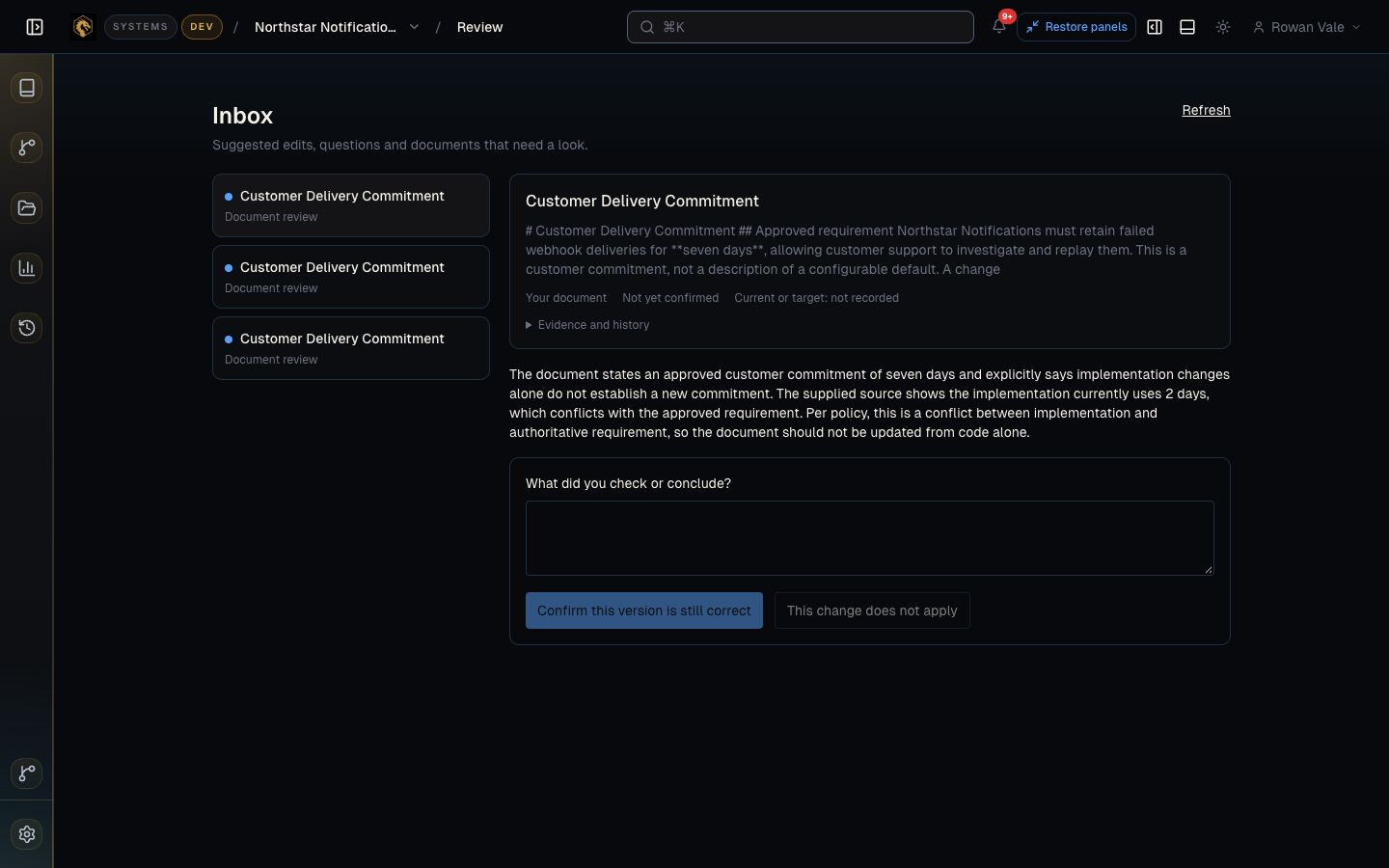
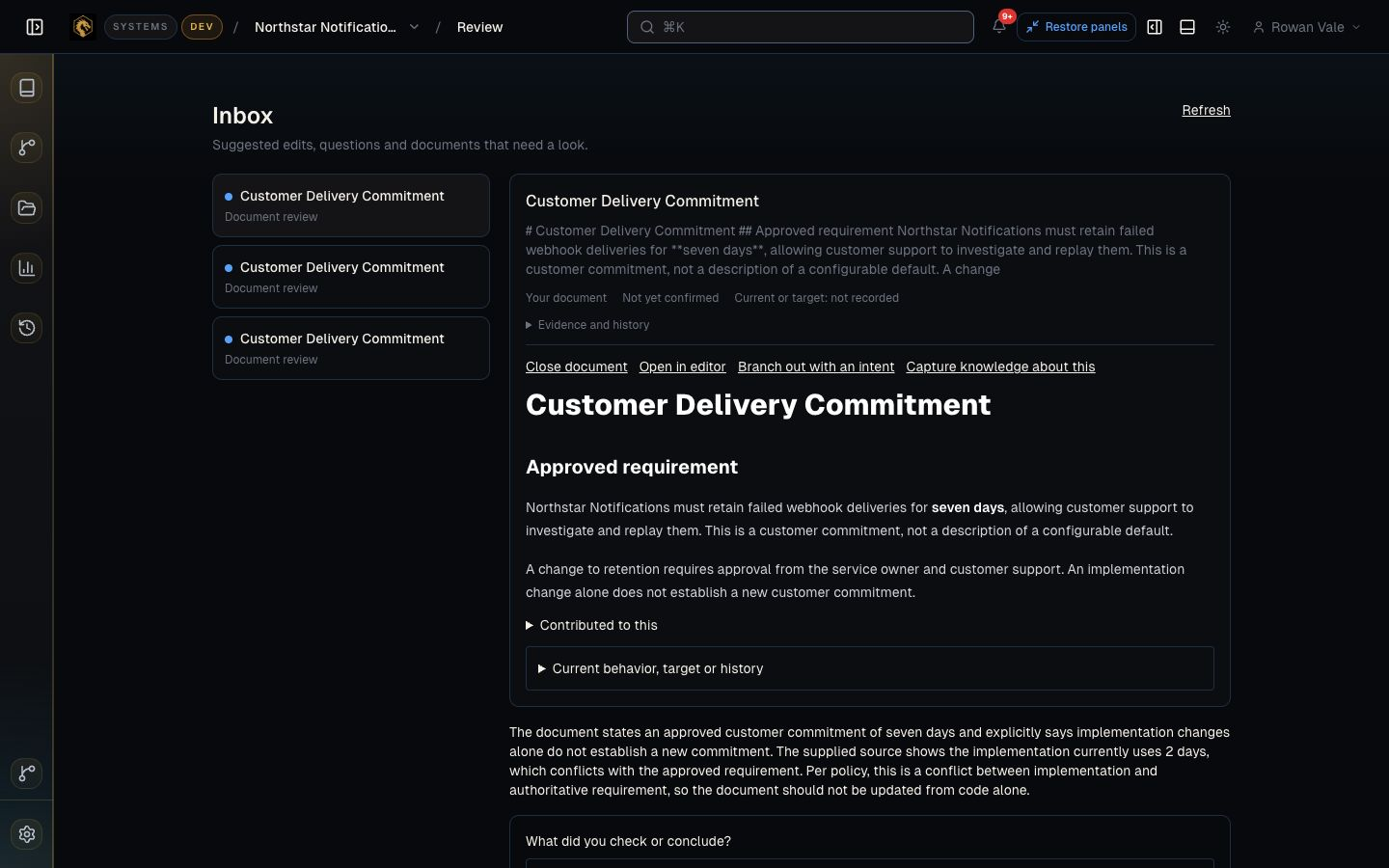
Connect the source to the right docs.
Choose a service and link it to the documentation you manage in DragonKeep. That gives Systems a defined set of material to maintain.
For engineering teams
Systems handles routine updates to the documentation you keep in DragonKeep. Your team can get on with the next change, without hunting down every paragraph the last one affected.
Early access · Start with one service
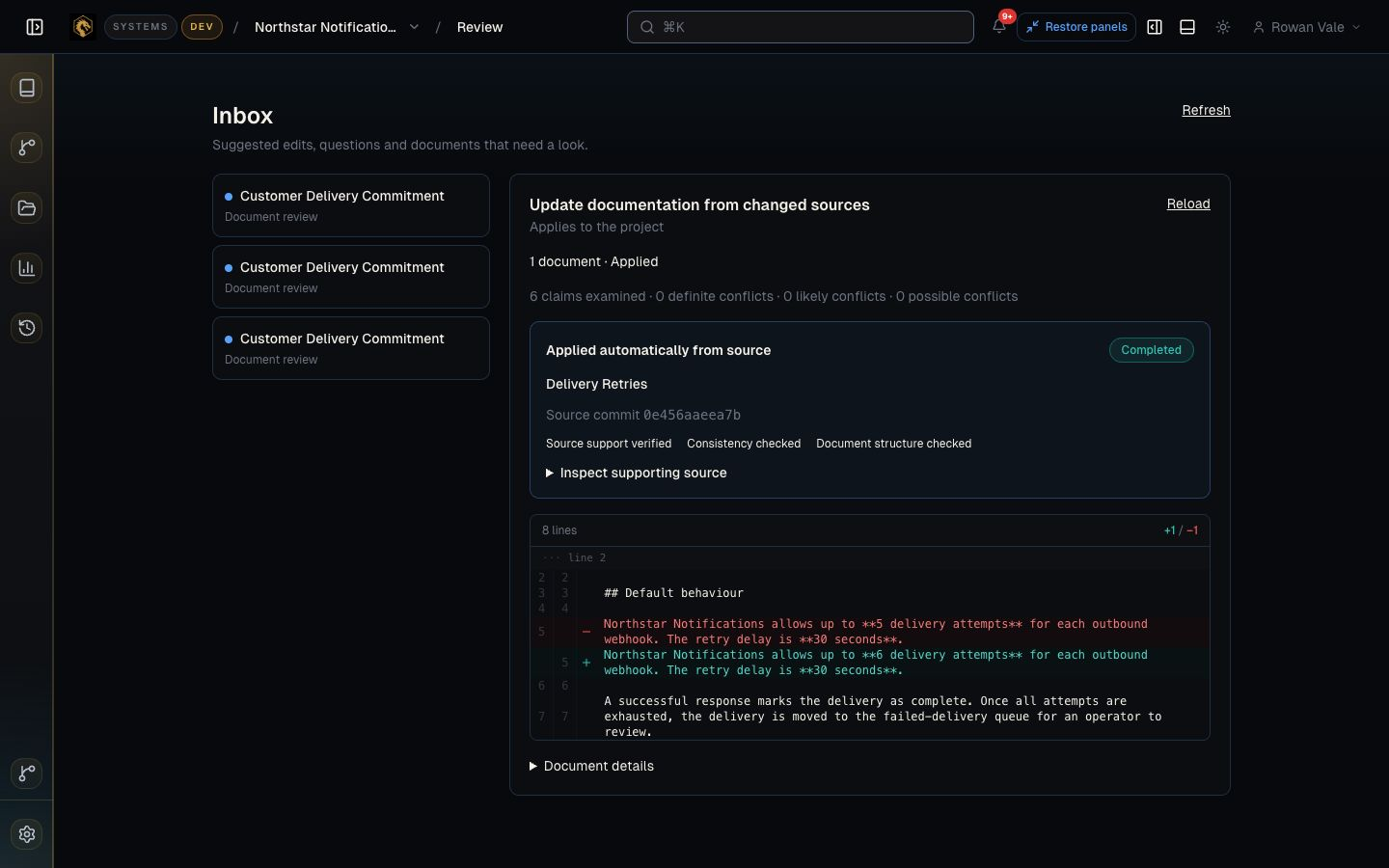
Five attempts became six. The docs already know.
The service changed. Systems checked the new value and updated the delivery guide automatically. Nobody had to find that paragraph and rewrite it.
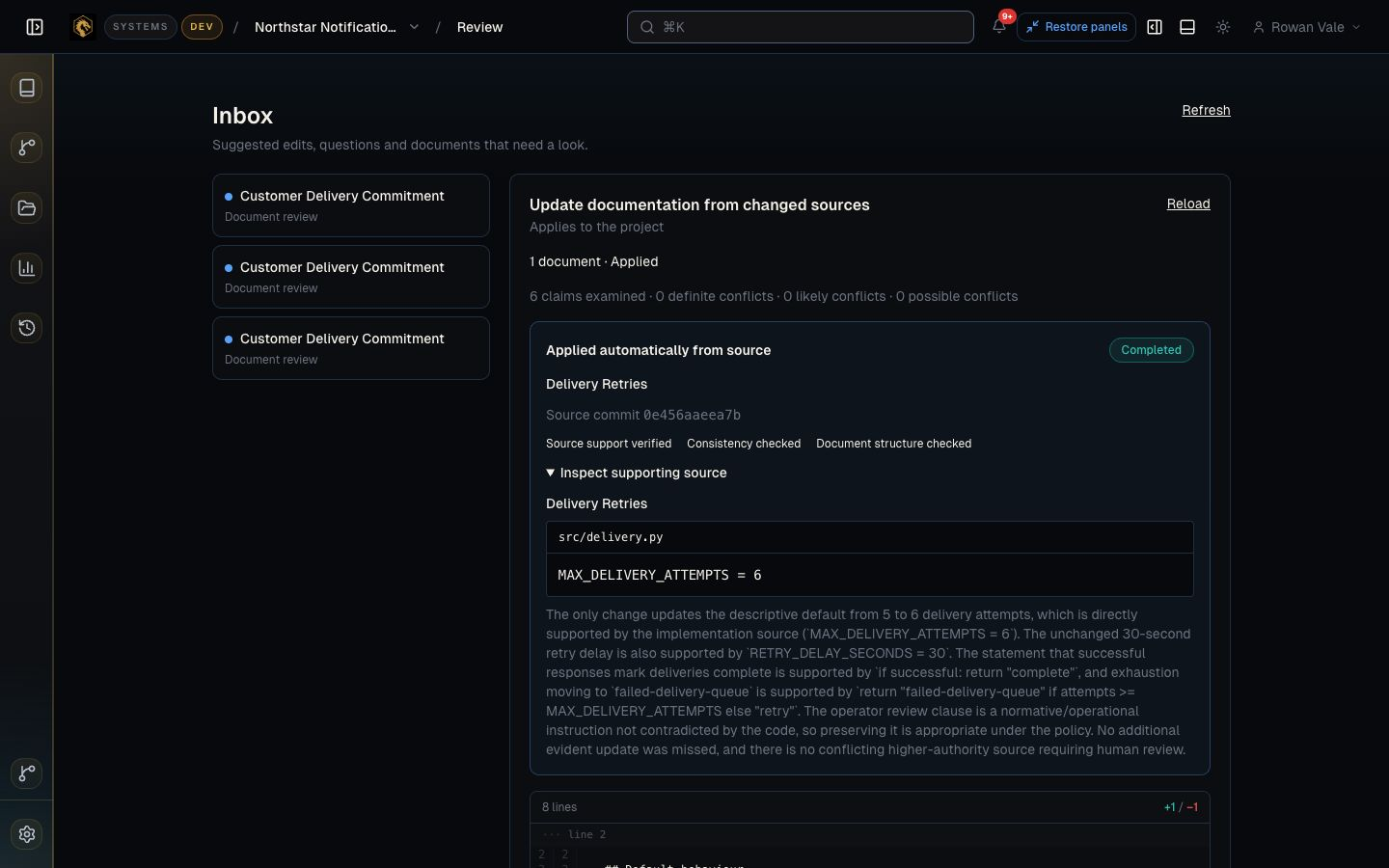
The change comes with its explanation.
Open the update to see the source behind it and the checks it passed. The answer to “why did this change?” is already attached.
Let the routine work happen
The value is a piece of maintenance finished. Here’s how that happens.
Choose a service and link it to the documentation you manage in DragonKeep. That gives Systems a defined set of material to maintain.
When source changes arrive, Systems prepares targeted edits, checks them, and applies the updates that meet its checks.
Routine updates get done. When a change touches a customer commitment, your team gets the context to make the decision.
A clear place to start
A configuration default. A renamed setting. A service guide that trails behind the implementation.
Start with a recurring update your team can point to. Systems maintains the connected documents inside DragonKeep, so choosing and bringing in that documentation is part of setup.
Then see how much of that maintenance your team can leave to it.
One-service documentation pilot
Bring one changing service, a small set of docs, and the person who looks after them. We’ll follow real changes through to the resulting updates.
Discuss your serviceWe agree the scope and price with you before the pilot begins. Systems is in early access.
A few useful answers
The documentation Systems maintains lives in DragonKeep. You connect the relevant source material to those documents during setup.
Routine factual updates can be checked and applied automatically. Your team stays in charge of decisions such as changing a customer commitment, with the relevant context close by.
Yes. The edits, supporting evidence, and change history are available to inspect, so your team can review what happened and follow up on exceptions.
One service that changes regularly, a small documentation set, and a person who can tell whether an update is right. A repeated task, such as updating a configuration default in a service guide, is a useful starting point.
Start with one service
Tell us about one service and the documentation someone keeps having to update. We’ll reply personally.